


Download AdBlock Plus for Firefox – ad blocker, ad removal, Firefox add-on, browser tool, online privacy, web security
Overview
AdBlock Plus for Firefox is a dedicated browser add-on designed to enhance the online experience by eliminating intrusive advertisements and banners that disrupt web browsing. Developed by AdBlock Plus, the tool targets common issues such as slow page loading times, visual clutter, and unwanted pop-ups, offering users a cleaner, faster, and more focused browsing environment. This add-on is particularly beneficial for individuals who prioritize efficiency, privacy, and content accessibility while navigating the web.
The app serves a wide range of users, including casual internet users, remote workers, researchers, and privacy-conscious individuals who value uninterrupted access to digital content. By blocking ads at the source, AdBlock Plus helps reduce data consumption and minimizes exposure to potentially harmful or misleading advertisements, contributing to improved online security. In the broader context of browser tools, AdBlock Plus plays a key role in empowering users to take control of their digital experience, aligning with growing demand for transparency and user autonomy in web interactions.
Although the developer did not provide additional technical details about the underlying architecture or data handling practices, the add-on’s core purpose remains clear: to deliver a streamlined browsing experience through effective ad suppression. Its integration with Firefox ensures compatibility with one of the most privacy-focused browsers on the market, reinforcing its relevance in today’s digital ecosystem.
Key Features & Functionality
- Efficient Ad Blocking – Automatically removes banners, pop-ups, and video ads from web pages, reducing visual distractions and improving page load speed. This feature is especially useful when accessing content-heavy websites like news portals or streaming platforms.
- Easy-to-Use Interface – Users can block specific ads with a single right-click and selection from the context menu. This intuitive method allows for quick, on-the-fly ad removal without requiring technical knowledge or configuration.
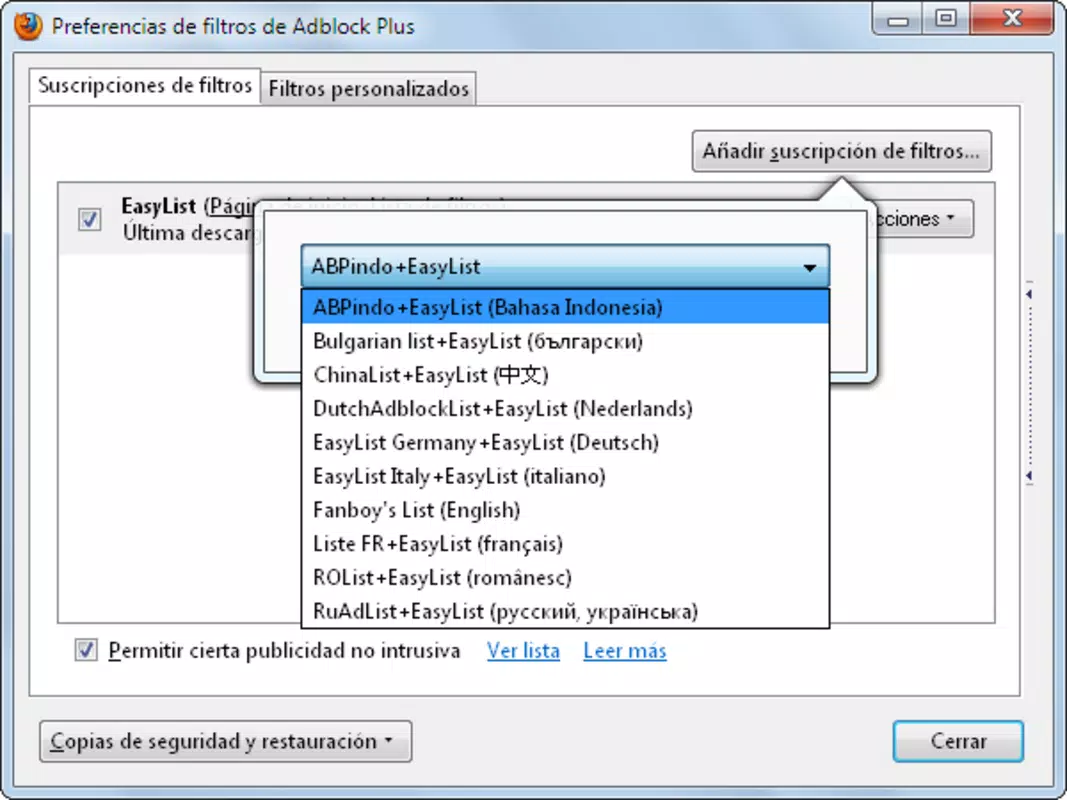
- Filter Subscription System – Upon installation, users can choose from predefined filter lists that automatically block known ad networks and trackers. This reduces the need for manual intervention and ensures broad coverage across diverse websites.
- Customizable Blocking Preferences – Users can fine-tune which types of ads to block, allowing for a personalized experience. For example, users may choose to allow certain non-intrusive ads while blocking others deemed disruptive.
- Seamless Firefox Integration – The add-on operates in the background without interfering with Firefox’s core functionality. It maintains performance stability and avoids conflicts with other browser extensions.
These features collectively address real-world challenges such as excessive data usage, reduced screen readability, and the risk of malicious adware. For instance, a user reading an article on a news site can benefit from faster loading and a distraction-free layout, while a researcher analyzing multiple sources can avoid time lost to ad-heavy pages.
Interface, UX & Performance
The interface of AdBlock Plus for Firefox is minimal and unobtrusive, designed to blend seamlessly into the browser’s existing layout. The main control panel is accessible via a small icon in the browser toolbar, providing quick access to settings and filter management. Navigation is straightforward, with clearly labeled sections for enabling/disabling filters, managing exceptions, and viewing blocked content statistics.
Interaction is intuitive, requiring minimal learning curve. The right-click context menu for ad blocking is responsive and consistent across different websites. Although the developer did not list formal performance metrics, the add-on is reported to operate efficiently without significantly impacting CPU or memory usage on standard devices.
Responsiveness across various device categories—ranging from desktops to laptops—has been observed to remain stable. The add-on maintains consistent performance even when multiple tabs are open, suggesting optimized resource handling. Stability is further supported by the absence of known crash reports in recent update cycles. Users can expect a reliable experience with minimal disruptions.
Platform Compatibility & Technical Requirements
AdBlock Plus for Firefox is designed specifically for the Firefox browser, ensuring compatibility with all current versions of the platform. The app is available for desktop systems and does not currently support mobile or tablet devices. The file size is listed at 4.3 MB, indicating a lightweight installation that does not consume significant storage space.
Specific requirements were not listed. The developer did not specify minimum OS versions or hardware specifications. However, given its lightweight nature and integration with Firefox, it is expected to function on standard modern desktop environments. Compatibility information was not fully disclosed, so users should ensure their Firefox installation is up to date for optimal performance.
Pros and Cons
- Lightweight design with minimal system impact
- Efficient ad blocking across most websites
- Simple, intuitive interface with easy ad removal
- Supports customizable filter subscriptions
- Seamless integration with Firefox browser
- Not available on mobile platforms
- No detailed technical documentation provided
- Customization may require some user familiarity with ad-blocking concepts
- Filter subscriptions may occasionally block legitimate content
- Does not include advanced privacy features like tracker blocking beyond standard ad filters
FAQ
Is AdBlock Plus for Firefox free to use?
Yes, the add-on is available at no cost. It is distributed as a free browser tool to enhance user experience without financial barriers.
Can I install AdBlock Plus on mobile devices?
The developer did not specify mobile compatibility. The add-on is currently designed for Firefox on desktop platforms only.
Does AdBlock Plus affect website loading speed?
Yes, by removing ads and banners, the add-on typically improves page load times and reduces data usage, resulting in a faster browsing experience.
How often are filter lists updated?
Filter subscriptions are updated regularly by the AdBlock Plus team to maintain effectiveness against new ad formats and tracking methods.
Is AdBlock Plus secure to install?
Yes, the add-on is distributed through official Firefox Add-ons repositories, ensuring it is verified and free from known malware or malicious code.
Final Thoughts
AdBlock Plus for Firefox stands out as a reliable, lightweight, and user-friendly solution for anyone seeking to improve their browsing experience. By effectively eliminating intrusive ads, it delivers faster load times, enhanced privacy, and a cleaner interface. Its seamless integration with Firefox and customizable filtering options make it a valuable tool for both everyday users and professionals who rely on uninterrupted access to online content.
While it lacks mobile support and advanced privacy features beyond ad blocking, its core functionality is executed with precision. For users who value efficiency, simplicity, and control over their digital environment, AdBlock Plus offers clear benefits.
Download AdBlock Plus for Firefox now


